 mocaptyx
CAMERA · DEVELOPMENT STATUS
DIY camera.
The MOCAPTYX camera for reflective markers.
Today it is built from off-the-shelf parts in a 3D-printed case, and it is in use in our studio.
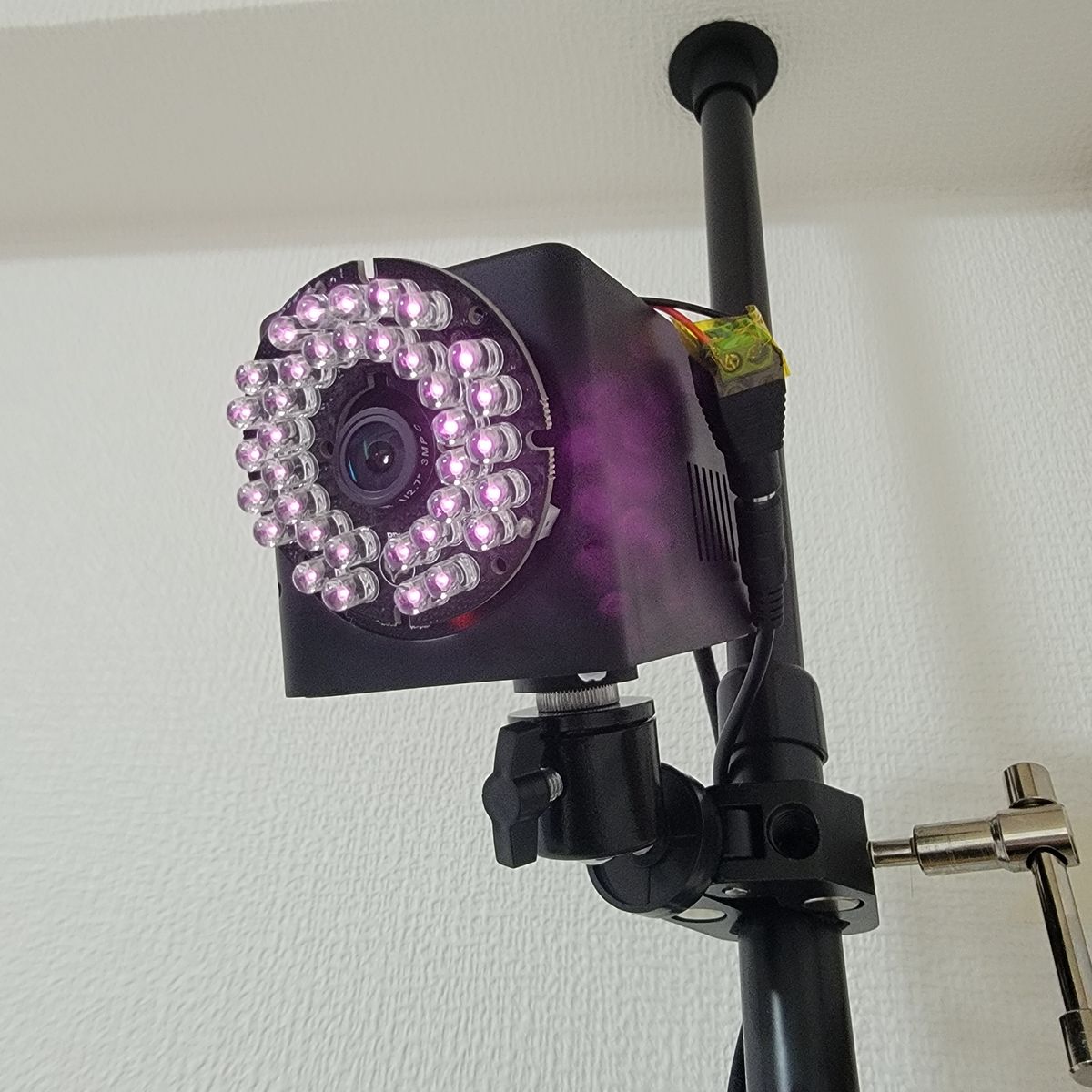
The build guide, the case files (STL / STEP), the parts list with shop links and the camera firmware will be published together with the PC app. A camera built today cannot yet run with MOCAPTYX. This page shows where the camera is now.
No cameras needed. Release and test news via the sign-up form; questions and your work on Discord.
01What it is
Cameras on poles in the corners of the room watch the reflective markers on the body from several directions. Each camera finds the markers' bright points in its own image and sends only their positions to the PC over the LAN.
| Part | What we use now (off the shelf) |
|---|---|
| Board | ESP32-P4-ETH (Waveshare, or a compatible board). Finds the markers in the image and sends them over the LAN |
| Power and data | PoE: one LAN cable for power and data. The LED ring's 12 V comes from a PoE splitter |
| Sensor | An OV9281 camera module (monochrome, global shutter, 1 MP) |
| Lens | A wide M12 lens without an IR-cut filter, behind a film that passes only infrared |
| Light | An 850 nm infrared LED ring (36 LEDs, 12 V). Light from right beside the lens makes reflective markers shine |
| Case | 3D-printed (black heat-resistant resin), with a 1/4" thread for a ball head |
All cameras keep their clocks in step over the LAN and expose at the same instant. The standard rig is 8 cameras (4 poles, two cameras each).
02Rough cost
| Guide | Includes | |
|---|---|---|
| Full set of 8 | about ¥200,000 | 8 cameras (board and PoE module, camera module, lens, LED ring, PoE splitter, printed case, film, screws, LAN cable), a PoE switch (8 PoE ports) and mounts (4 floor-to-ceiling tension poles, 8 clamps, 8 small ball heads) |
A rough figure: what the author actually spent on the set in Japan in September and October 2026. PC, markers and shipping are not included. Prices and stock change. The exact parts list comes with the build guide.
03Case v1 and v3
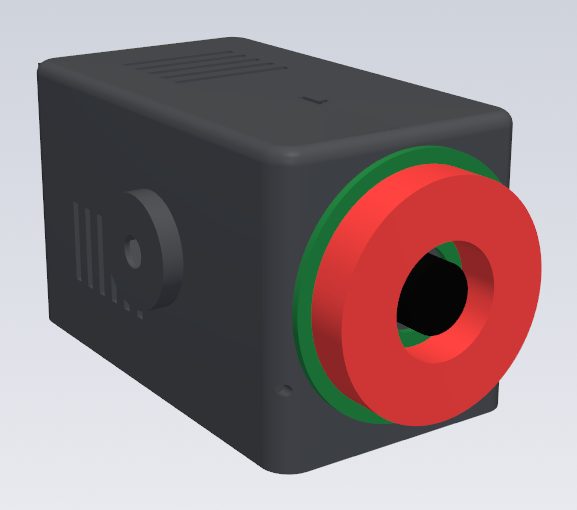
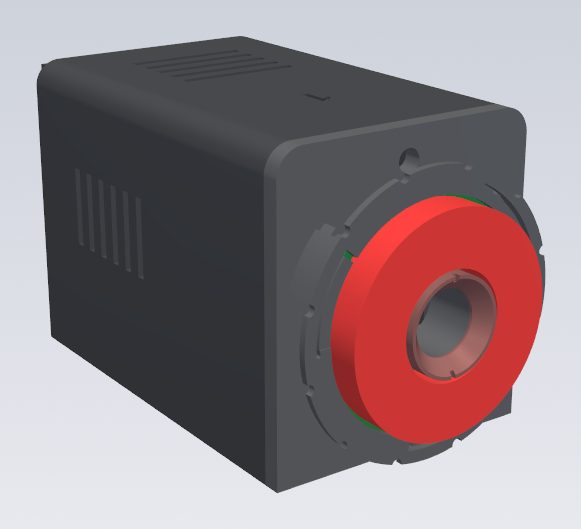
v1: built, and in use in our studio
Eight were printed by an online service (JLC3DP, black heat-resistant resin) and are in use. A home FDM printer did not work well. Using them taught us:
- The connector on the back of the LED ring hits the case front, so the ring does not sit flat.
- The ring's lead is short and barely reaches the back of the case.
- Once the case is closed, a screwdriver cannot reach the camera's screws inside.
- Tightening the clamp hard can pull the 1/4" nut out.
- On boards with downward pin headers, the pins hit the floor of the case.
- The ring just sits on the front with its lead taped down, so a knock can shift it.
- Held by the ball head's single screw, the case turns round it easily.
v3: the next version, fewer parts and screws
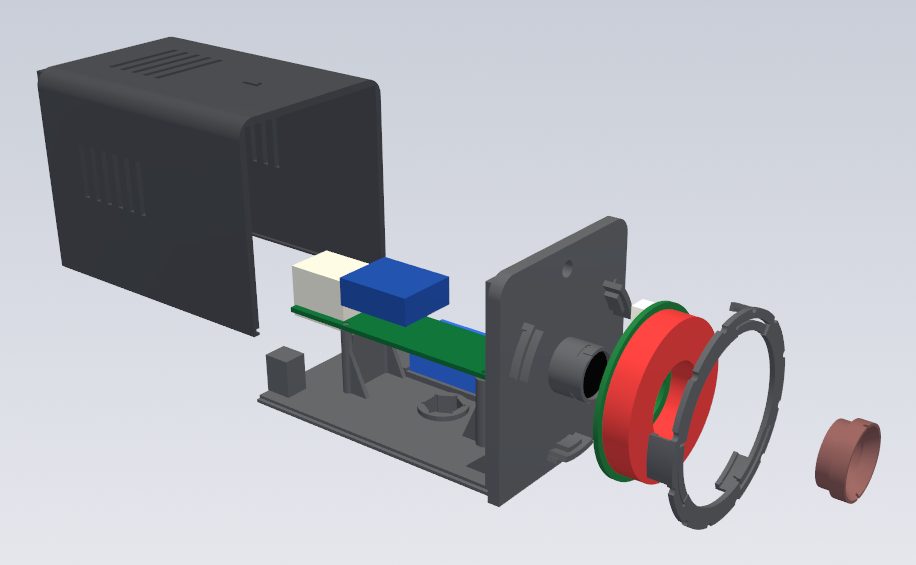
- Four printed parts and four screws (v1: two parts and 12 screws, plus two optional parts and 3 screws).
- Camera, board and nut all go onto the front part on the bench, with screws a driver reaches straight.
- The LED ring rests on three pads and a twist-lock bezel with spring arms holds it: no screws, and air reaches the ring's back.
- The infrared film goes into a twist-lock cap; take the cap off to refocus without opening the case.
- Radial ridges under the foot bite into the ball head's rubber so the case does not turn, and the nut is pulled into its pocket so it stays put.
- The board sits higher, so boards with downward pins fit, and there is room for a module that flashes the LEDs (for a future strobe).
v3 has been designed. When the build guide is published, it will come with what we learned from real prints.
An LED ring that stays on gives off 3-4 W and warms the resin case. A case that warps moves the camera, so we are opening the ring's back to the air and working on lighting it only during each exposure (strobe).
04Own board (in development)
Alongside the off-the-shelf build, we are developing our own camera board, with fewer parts and less wiring, smaller and easier to assemble. Its timing and contents are not decided yet.
05What comes next
These will be published together, with the PC app:
- The build guide: parts, printing the case, assembly, focusing, the infrared film, LED power, mounting and aiming
- Case files: STL / STEP for v1 and v3, and the scripts that generate them
- The parts list, with shop links and reference prices
- The camera firmware (with the PC app)
Building cameras for yourself is planned to be free. Selling cameras, cases or kits, or building them into a product, needs a paid licence (licensing policy, get in touch).
Questions, or information you would like to see: please use the issues.